Archive for the 'E-Newsletters' Category
Let’s Rewrite Some Newsletter Headlines
By Kivi Leroux MillerCopyblogger is showing people how he would rewrite some of their blog headlines, including notes on why he made the changes he did. I do a similar exercise in my newsletter writing courses and it’s always fun. So, let’s try it here. Either leave a comment or send an email to me at kivi *AT* writing911.com. Provide a link to a newsletter article or blog headline you’d like to see rewritten. If you don’t have the article online, email me the original headline and the lead paragraph.
read comments (2)What’s the Hardest Part of a Newsletter to Write?
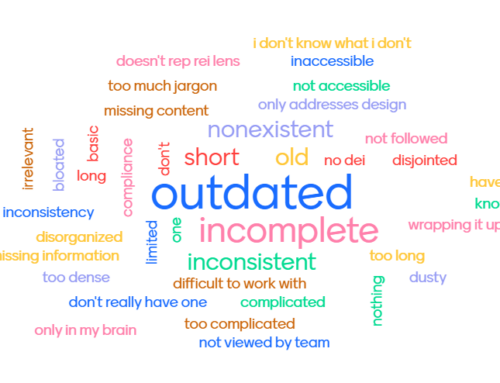
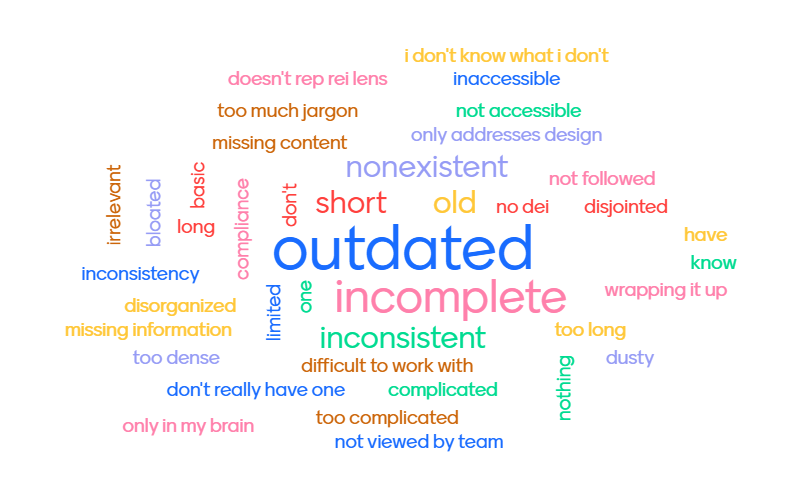
By Kivi Leroux MillerA good newsletter will have several different types of articles in it, and some formats are harder to write than others. Which type of newsletter article is toughest for you to write? Take the poll, or add your own answer. You can also leave a comment on this post. In a week or two, I’ll provide some tips on how to write whichever article you, my readers, say is the hardest.
What's the Hardest Part of a Newsletter to Write?
Writing Great ALT Tags for Your E-Newsletters
By Kivi Leroux MillerALT tags are the bits of text that you can attach to images on webpages and in email messages and e-newsletters. As I explained yesterday, using the ALT tag is essential when including images in email campaigns and e-newsletters, because if the people reading your email have image blocking turned on, they won’t see the image, but they will likely see the ALT text. ALT tags are also needed by visually impaired people who rely on screen readers.
ALT stands for alternative — this text will be shown as an alternative to showing the image itself. Many people advocate that you simply describe what is in the photo, especially for ALT tags on websites. But ALT tags can also be used as marketing text, and this approach makes sense for email where you are most likely trying to encourage some type of action on the reader’s part.
Here are a few tips for your email ALT tags.
1) Always use them! You don’t need them on decorative items like bullets, but use them on all photographs and artwork of significance.
2) Keep them short, but not too short. Don’t use “Logo” when you can use “Smith Community Library Logo.” Shoot for three to seven words.
3) Use words that are meaningful to your readers. Treat writing your ALT tags like you do headlines and captions. Use keywords that will grab your readers’ attention. Don’t say “Kittens at the shelter” when you can say “Kittens ready to be adopted today at the shelter.”
4) Encourage readers to turn images on. Your newsletter will look much better and be more effective if people see the images you placed there. You can use the ALT tag to encourage them to turn on the images. For example, ALT tags like “Turn on images to see why Jim is smiling” or “Turn on images to see what your donations purchased last month” give the reader an incentive. A tag like this on every image would be annoying, but using them sparingly may convince some of your readers to take that extra step to see your images.
Images in Email and E-Newsletters: Dos and Don’ts
By Kivi Leroux MillerI always advise nonprofits to include photos in their print newsletters. But what about images in e-newsletters? The answer is not as clear-cut and here’s why: a large portion of your online readers probably won’t see the images automatically. Worse yet, if you don’t watch your design carefully, these readers may see only a big empty box leading them to quickly delete your email without a second thought. You can learn more about why this is the case at Campaign Monitor and EmailExperience.org.
Given this reality, I say you should play it safe with your email campaigns and e-newsletters and assume that some portion of readers won’t see your images. That doesn’t mean you shouldn’t include images; it means you should do so carefully. Here are a few guidelines you should follow.
1. Use small images. You don’t want to fill up the viewing pane with an image. Try to keep images under 200 pixels wide. If you use a banner image across the top as a nameplate, keep the height small (under 75 pixels). This will leave you room for your text to appear in the viewing pane.
2. Include great copy as close to the top as possible. Put some extra effort into the text that appears at the top of the message or newsletter. You need to grab your reader with those few words they will see in the preview pane if you are losing some of that space to a blocked image.
3. Always use the ALT tag. When you insert an image in HTML, you have the option of attaching words to that image with an ALT tag. Though it’s not a 100% solution, most readers will see this text even if the image is blocked. (More tips on writing good ALT text tomorrow).
4. Include captions. To keep a caption with your image in an HTML email, create a small table with one column that is the same width as your image and two rows. Put the image in the top row and put the caption in the bottom row. Insert the whole table (image and caption) into your email wherever you want it to appear.
5. Never send image-only messages. I’ve seen event invitations sent via email that are nothing but one solid image. With images off, I see nothing but a big empty box. Bad idea. Never use this approach. Always include text in your emails.
Carnival #30 - Tips on Nonprofit Newsletters
By Kivi Leroux MillerThis week’s Carnival of Nonprofit Consultants is back at its birthplace here at Nonprofit Communications. Our topic this week is Nonprofit Newsletters and we have lots of opinions to share about what works and what doesn’t. If you are responsible for your newsletter, read on. If someone else in the office does it, forward this to them.
Katya Andresen at Katya’s Non-Profit Marketing Blog offers three ways to a better newsletter (or none at all). Katya says nonprofits spend a whole lot of time on newsletters, and guess what: no one cares. I write newsletters for nonprofits and guess what: I agree with her. Most of the newsletters I see are ineffective and don’t follow Katya’s suggestions. After you read Katya’s post, you can come back here for more on not writing for the general public.
Nancy Schwartz at Getting Attention shows you how to get to know your audience via your e-news welcome email. This is such a great idea that I’m going to work with a couple of clients this week to improve the way they do it. As a bonus, be sure to take a peek at some of Nancy’s articles on e-newsletters and other nonprofit marketing topics.
Marc Sirken at npMarketing Blog recently found great marketing in the oddest of places. Find out where Marc picked up a copy of a print newsletter and why he loved it.
Jeff Brooks at Donor Power Blog tells you why your newsletter matters and how to make it more donor-centric. (Jeff has a new hipster blog design that’s worth a gander too.)
Roger Craver and Tom Belford at The Agitator say “It’s the Headline, Stupid” and explain why you might need two headlines for the same article if you use it in print and online.
Heather Carpenter at Aspiration Tech tells us about three nonprofit newsletters she reads and why she likes them. I sensed a theme: they provide her with useful information that she can use, not a lot of information about the organization itself.
Matthew Monberg at Beyond Giving likes how the magazine Runner’s World is using technology to connect people and raise money. It’s an interesting case with some intriguing possibilities for others. How can you connect your publications like your print or email newsletters with other technologies people use (GPS in this case)?
The bonus host post this week is my tips on how to write personal profiles. You can find more of my newsletter tips at www.nonprofitnewsletters.net.
Matthew at Beyond Giving is our host for next week. He is seeking posts on the theme of “Nonprofit Excellence.” Get them in to Matthew by Friday night if you want to contribute.
Don’t forget, you can get weekly email reminders about submitting to the Carnival by signing up here. And if you aren’t subscribed to the Carnival feed yet, why not? You know it’s good stuff! Subscribe on this page, in the right-hand sidebar, below the BlogCarnival editions listing. Or you can subscribe to this blog and you’ll automatically get the Carnival too.
Writing Better Personal Profiles for Your Newsletter
By Kivi Leroux MillerIncluding personal profiles in your newsletter is great way to tell an important story about your organization, while also recognizing the contributions of a single person. I write a lot of donor profiles, for example, that tell nice stories about the individuals and acknowledge their generosity, while highlighting the organization’s accomplishments — i.e. “Jane Donor made The Nonprofit the sole beneficiary of her estate because we did Some Great Thing.”
Here are five tips for writing a better personal profile:
1) Ask open-ended questions. Whether you interview the person on email, over the phone, or in person, ask lots of open-ended questions that are impossible to answer in one or two words. You want to generate answers that you can work with and build a story around.
2) Ask enough questions to generate more material than you need. For a 500-word profile, I’ll ask 7-10 questions and if the person is replying over email, I’ll ask them to shoot for 50-100 words per answer. That will usually give me enough background, facts, and quotes to pull together a good first draft, after adding in the organizational info.
3) Don’t use everything you get. I rarely use everything a profile subject says or writes, because half of it ends up being irrelevant to the particular story angle. Use the details and quotes that support the story you are telling about this person and the connection to your organization.
4) Keep the biographical stats to a minimum. A profile isn’t a biography. Include enough personal details so we can get a general sense of who this person is, but don’t let it drag out into a whole life story. Let us know if we are reading about a man or woman (if the name doesn’t give it away), give us clues about the person’s age if you don’t say it outright, and be clear about their connection to the organization (volunteer, donor, client, etc.).
5) Include several quotes. Let the profile subject talk about how great your organization is and the wonderful work you are doing in his or her own words. They’ll mean a lot more coming from the person than if you said them yourself. I always ask donors, for example, “Why did you first get involved with The Nonprofit?” and “Why do you continue to support the work they are doing now?” Both questions usually produce a great quote to include in a profile.
Newsletter Photo Mistakes - And How to Avoid Them
By Kivi Leroux MillerWhen I teach newsletter classes, I always like to show examples of good newsletters as well as examples of ones that have big problems. The most glaring errors, because they are so easy to see, are those involving photos. Here are a few newsletter photo horrors you’ll want to avoid.
Photos at the wrong resolution. Print newsletters need photos with at least 300 dpi at the correct size. Online newsletters need photos at 72 ppi at the correct size. That’s a big difference and it means you can’t use the same file for both print and online newsletters. If you put an online version into a print newsletter, it will look pixelated (you can see the little boxes in the photo) or blurry. If you put a print version into an e-newsletter, it will be way too big or take too long to download, depending on how the photo is rendered by the program reading your newsletter.
The Solution: If I am using a photo for both a print and email newsletter, I’ll end up with three versions of the file: the original, which I always keep as is; a print version that I have resized when set to 300 dpi; and an online version that I have resized when set at 72 ppi.
Photos that make people look bad. Unless you are specifically trying to humiliate someone, you want to make sure that the photos you include in your newsletter make the people in them look good.
In my pile of bad examples is a newsletter by an organization that works with disabled adults. It includes a photo of a disfigured woman. This is not bad in and of itself. What’s horrible is that the photo is clearly vertically skewed, so the woman’s face is much more long and narrow than it should be, making her look really bad. I suspect the person who designed the newsletter was trying to fill up some space and dragged the corner of the photo down without also dragging it across horizontally.
The Solution: Make sure you keep your ratio of horizontal to vertical constant. Depending on the program you are using, you’ll usually want to hold down the shift or control key when resizing photos.
Photos that are the wrong color. You also want to avoid printing your newsletter in certain colors if you use lots of people photos. People pictures generally look horrible when printed in bright pink, yellow, orange, or red for example.
The Solution: If you print your newsletter in one or two colors only, pick a color that will make people photos look good. These are generally darker colors, like dark blue or purple, for example, that produce a look that is closer to the black and white we are all used to.
If you are interested in more common newsletter mistakes involving more than just photos, sign up for my free 5-day e-course, “Avoid These Five Newsletter Blunders.”
Good Newsletters Help Readers Solve Problems
By Kivi Leroux MillerTo get the folks on your mailing list to read your newsletters, you need to provide them with something of value. Just updating them on what you’ve been doing isn’t enough. One way to do that is to help them solve problems they face. You can do that with several different types of newsletters articles:
How-to articles. Explain how your readers can do something that helps you accomplish your mission.
- “How to Talk to Your Friends and Family About HIV/AIDS”
- “Seven Qualities of a Great Volunteer”
- “How to Baby-Proof Your Home”
Advice columns. These can be serious or funny. You can ask readers to send in questions (put up a simple form on your website) or you can make up questions that allow you to provide answers that contain the information you want to get out to your readers that month.
FAQs. What questions do you get over the phone and via email? Chances are that other people have those same questions. Periodically, pull them all together for a newsletter article.
First-person anecdotes. Have someone related to your organization write a first-person account of how they solved a problem related to your mission.
- “How I Cut My Family’s Energy Bill in Half”
- “How I Helped My Child Deal with the Loss of a Pet”
- “How I Convinced My Husband to Get a Check-up”
Success stories. These articles can be similar to the first-person anecdote examples, but they are written in the third-person instead.
Try including at least one of these types of articles in each edition of your email or print newsletter. Your readers will thank you.