
 I’ve been using PowerPoint for years to teach workshops and while I usually get great reviews from participants, I’ve always felt like something wasn’t quite right about the way I used the slides. When I decided to launch the weekly webinar series on nonprofit marketing this year, I knew I’d be using PowerPoint much more often, and since participants wouldn’t see me, the slides had to work really well. It was time to address that nagging feeling.
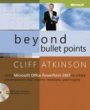
I purchased two books: “Beyond Bullet Points: Using Microsoft Office PowerPoint 2007 to Create Presentations that Inform, Motivate, and Inspire” by Cliff Atkinson and “Presentation Zen: Simple Ideas on Presentation Design and Delivery” by Garr Reynolds. I highly recommend both. Here are a few key points and my take on the strengths of each book, if you can’t fathom reading both.
While the tone of the books is very different, the authors are totally in sync on several points.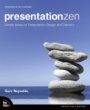
1) Remove all those bullet points from your slides.
2) Instead, fill your slides with a photo or graphic, with very minimal text (one short sentence).
3) Use storyboarding techniques to map out your presentation.
4) Treat your slides like the visual channel and your voice like the audio channel, creating one seamless presentation that feeds your participants’ minds in a more natural way. It’s apparently impossible for our brains to read text on slides while also listening to words and to process both fully. (This makes perfect sense if you think about how annoyed you get when you try to talk to someone who is reading and they refuse to stop. You know they aren’t really listening to you – because they can’t.)
5) Therefore, stop treating your slides like your presentation notes (my sin) or like handouts. The slides, your speaking notes, and handouts are three distinct items all with their own needs.
6) Both love istockphoto.com. I already purchase credits there by the hundreds, so at least I’m getting that part right.
7) Chuck the provided templates and don’t put your logo on every slide.
On to the differences in the books . . .
Beyond Bullet Points (BBP) is three times the size of Presentation Zen (Zen). It took me about two weeks to get through it, reading in bits and pieces. I read Zen in one day (yesterday, Superbowl Sunday) despite dozens of household interruptions. BBP is published by Microsoft Press and it looks and feels like a manual, including black-and-white graphics. Zen is a much more beautiful book, with full color slides, very clean design, nicer paper, etc.
BBP is better if you really have no clue how to structure a talk. The heart of the book is showing you how to use a three-act structure to create your presentation and how this structure matches up with how people learn and retain information. Even though I think the structure of most of my courses is fundamentally solid, I did pick up some great tips about how people take in information and will be making some adjustments accordingly.
For example, it’s better to have three times as many slides and keep only one point per slide than to crowd fewer slides with multiple bullet points. Some of my five-hour workshop presentations have about 60 slides and I now see how I could easily triple that, following the “one slide per minute” rule of thumb. (I do lots of exercises, so during a five-hour workshop, I’m probably only speaking two-three hours.) BBP also contains lots and lots of PowerPoint how-tos, much of which I skipped over since I’m fairly comfortable with the software. I did learn a few new tricks though, so do skim those sections.
Zen is better if you are seeking advice on what your slides should actually look like. Where BBP tells you what to do with your slides, Zen really shows you. The three chapters on design really make the book. Zen doesn’t explain how to outline your presentation in anywhere close to the level of detail of BBP. Instead, it talks much more conceptually about what makes a good presentation and leaves it up to you to decide whether a three-act structure or some other format works best for your material.
I’m glad I read them in the order that I did. BBP is more of a how-to manual and primer on how people take in data and process it. It shows you how to take your zillion bullet points and tame them into a presentation that people may actually remember.
Zen speaks at a much higher level about incorporating “six aptitudes for the conceptual age” into your presentations. These are design, story, symphony, empathy, play, and meaning. As the author says, Presentation Zen is an approach, not a method (like BBP). I really enjoyed Zen, but I think much of that has to do with just finishing BBP. I think if I would have read Zen first, I might have been left yearning for more methodology. But with the BBP foundation, Zen really helped me see how to bring my own creativity and personality into a well-structured presentation. And like I said earlier, the slide design chapters alone are worth the price of the book.
Whether you give presentations with PowerPoint to hundreds or thousands of people at conferences or to small groups of supporters or board members, you need to read these books. They will change the way you prepare for every talk you give and your audiences will be eternally grateful.

![10 Types of Video Content Your Nonprofit Should Be Creating [With Examples]](https://www.nonprofitmarketingguide.com/wp-content/uploads/2023/04/african-guy-recording-new-video-blog-on-digital-ca-2022-04-27-03-24-00-utc-2-500x383.jpg)